Skip to content
Object 567 · No-Code / Low-Code

Shape OrangeTree around your process—not the other way around.

Build governed data-entry experiences, reusable choices and advanced reporting assets through guided designers that respect company scope and role permissions.

OrangeTree Form Designer showing object, rights and form structure steps
Forms · Object 568

Form Designer

Create parent menus, master forms and master-detail forms. Define how a form appears, grant rights to the current role, add sections and fields, and optionally publish a records list first.

  • Create or edit client-managed forms
  • Master and master-detail form structures
  • Role-based Create, Edit and Delete rights
  • Sections, fields, required settings and reusable LOV mappings
  • Automatic technical columns, tables and sequential keys
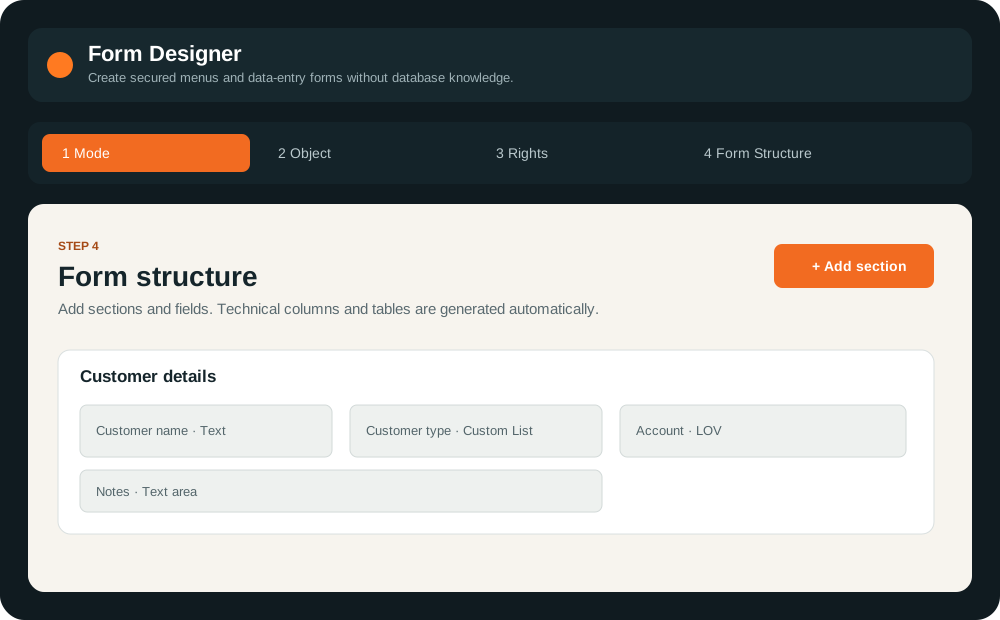
Form Designer with create or edit, object, rights and form structure stages
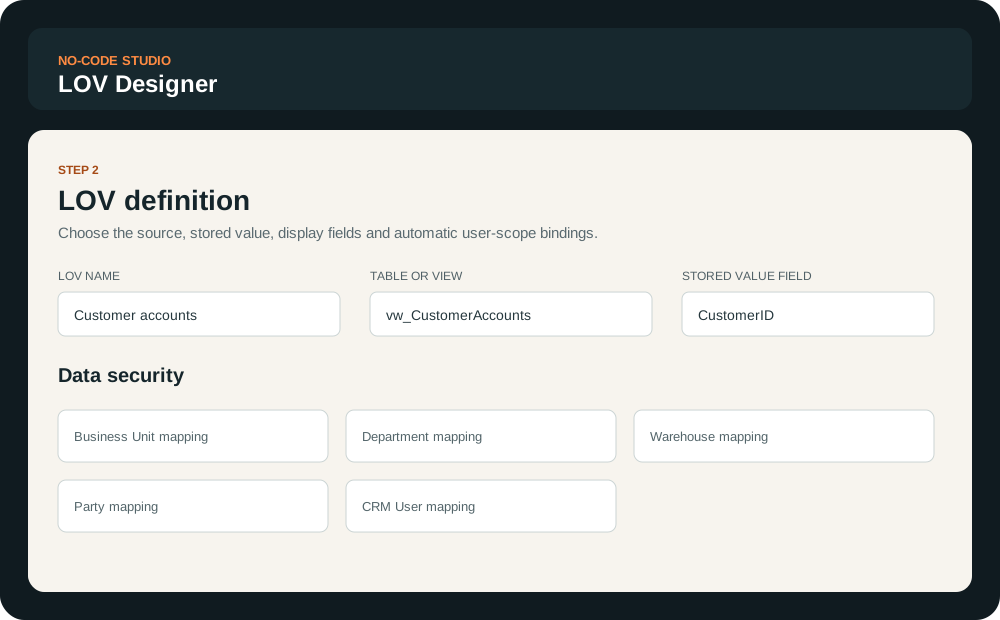
LOV Designer · Object 570

Controlled choices from approved data.

Select a table or view, stored value, display field and sorting field. Optional company and user-mapping dimensions apply scope automatically.

  • Structured LOV query generation
  • Company-aware filtering
  • Business unit, department, party and warehouse mappings
  • Reusable choices for form lookup and dropdown fields
LOV Designer showing source, stored value, display field and user scope mappings
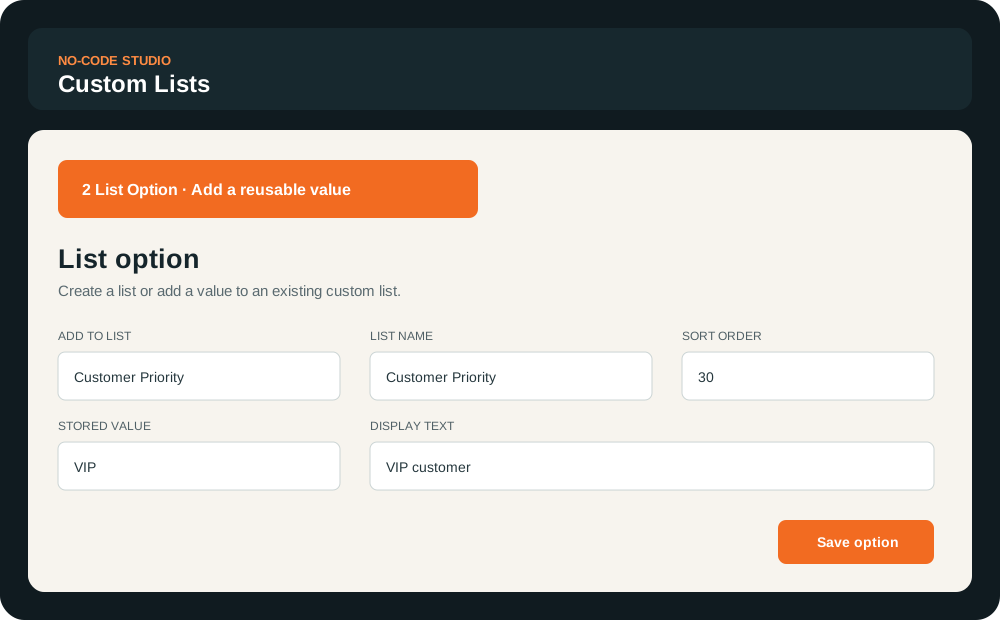
Custom Lists · Object 569

Reusable business choices without a query.

Create a named list or add options to an existing list using a stored value, display text and sort order. The same controlled choices can then be reused across configured forms.

Custom Lists designer showing list name, stored value, display text and sort order
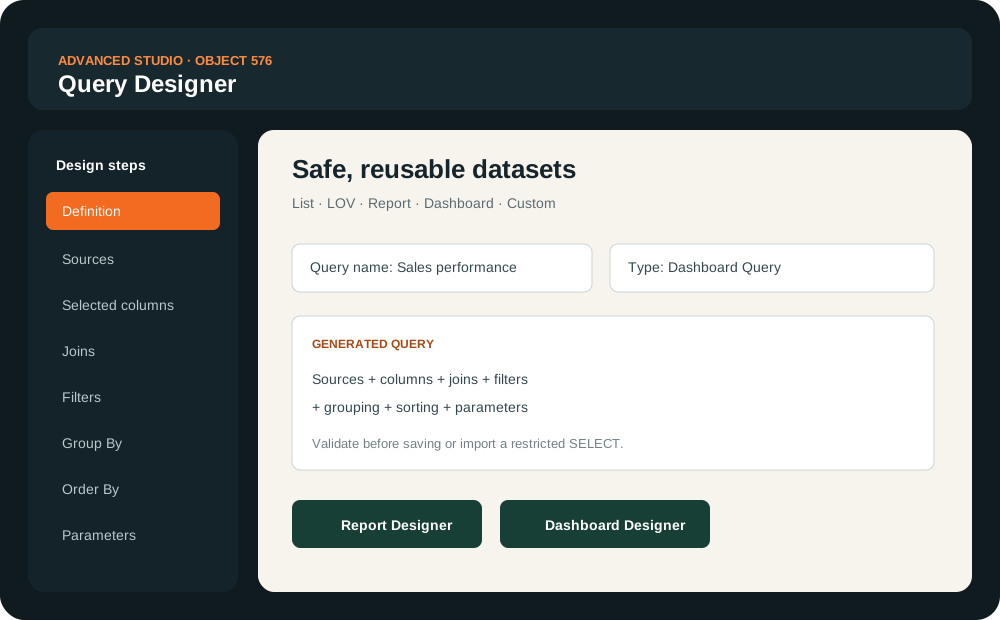
Object 576 · Advanced Studio

Advanced Studio for governed data products.

Move from no-code configuration into structured low-code design with Query Designer, Report Designer and Dashboard Designer.

  • Safe reusable List, LOV, Report, Dashboard and Custom queries
  • Sources, columns, joins, filters, grouping, sorting and parameters
  • Generated queries with validation and restricted SELECT import
  • Secured reports with runtime criteria
  • Dashboards assembled from approved dashboard queries
Advanced Studio showing Query Designer, Report Designer and Dashboard Designer capabilities

Configure the next workflow inside OrangeTree.

See how the designers turn a business requirement into a governed form, lookup, report or dashboard.

Request a demo